Dental documentation
The appointment, written down.
Mila records the appointment and, once it ends, gives you the conversation as text with you and your patient kept apart. You read it, write your note, and copy it into your practice software.
Development preview. Mac today, Windows untested. Needs a separate Speechmatics account for transcription. Automatic note drafting is in development.
How it works today
Record. Review. Write your note.
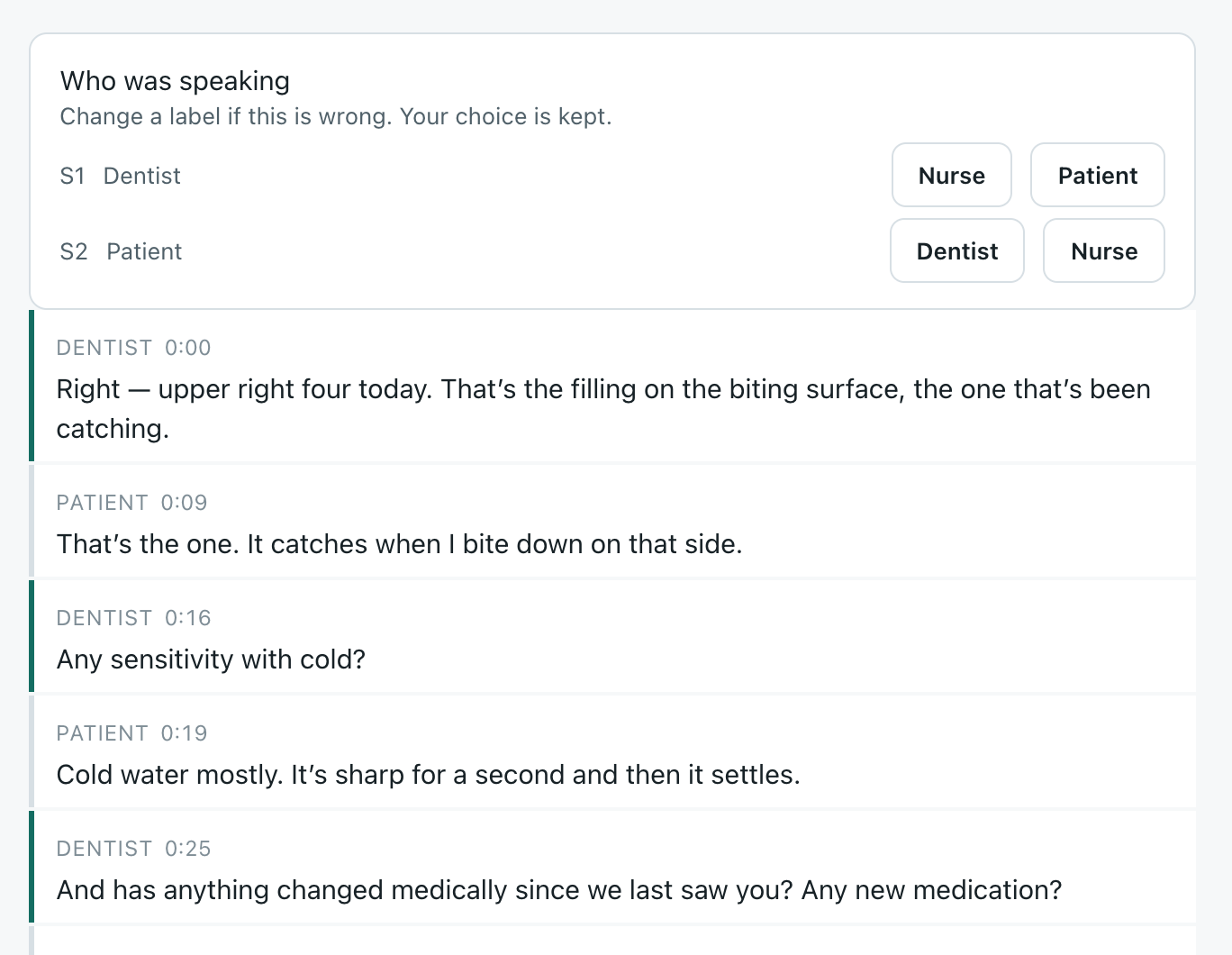
You record the appointment and carry on as normal. When you stop, Mila sends the audio for transcription and, a couple of minutes later, the conversation is back as text with each turn labelled. You read it, write the note, and copy it across.
Press play to see the transcript arrive.
The transcript builds here, one turn at a time.
Example appointment. In the app the transcript arrives after you stop recording, not during it. Mila proposes the speaker labels and you can overrule them.
Alongside your practice software
Your note, next to where it goes.
A Chrome side panel sits beside whatever practice software you use in the browser. It shows today’s list and each note, and one button copies the note to your clipboard so you can paste it into the record. It is copy and paste, not an integration.
- 1Pair once.A code from the app, typed into the panel. It stays paired across restarts, and it only ever talks to Mila on the same computer.
- 2Watch the day fill in.When a recording finishes and the transcript lands, the panel updates on its own.
- 3Copy and paste.Write the note in Mila, or edit it in the panel, then copy it and paste it into the patient’s record. Edits sync back.

Your data, and what works
On your computer, encrypted, and honest about the rest.
Recordings, transcripts and notes stay on the machine Mila runs on, encrypted under a key your operating system holds. Audio goes to Speechmatics in the EU to be transcribed and comes back as text. Nothing else leaves unless you choose to switch it on.
The preview requires a separate Speechmatics account for transcription, which Speechmatics bills directly; the guided setup walks through it. There is no account with us, no analytics, and nothing on this page loads from another server.
- WorksRecording from a clip-on or USB microphone, with the level in view.
- WorksTranscription with speaker labels. Mila asks rather than guesses when it is unsure, and you can correct who was speaking.
- WorksThe Chrome side panel: pairing, today’s list, copy to clipboard.
- Coming nextAutomatic note drafting. In development; you write the note yourself for now.
- UntriedWindows. The installers exist and nobody has installed one. If you do, you are first, and we want to hear from you.
Who is building this
Built by a dentist, in one surgery.
Mila is being built by a practising dentist and tried on his own appointment days before anyone else’s. That is why the transcript comes first: it is the part he needed on day one, and the part that has to be right before a drafted note is worth anything.
If you run a practice and want to try it alongside him, or you have a view on what it gets wrong, write. Replies come from him.
Questions
Before you try it.
Can I use this in my practice yet?
You can record, read the transcript, write the note and copy it from the side panel today. Treat it as a preview: one dentist has used it, on a Mac, and nobody has yet run it on Windows.
Do I need patient consent?
Yes, and Mila does not handle it. It assumes consent is obtained through your practice’s existing workflow, the same as any recording would be.
Is Mila a medical device?
No. Its output is descriptive documentation of what was said. It does not diagnose, recommend treatment or offer clinical decision support, and it has not been through clinical or regulatory review.
What does it cost?
Nothing to try. Transcription is billed by Speechmatics to your own account, per hour of audio. Pricing for the finished product is not yet set.
Which microphone?
A clip-on. Bluetooth headsets drop to a narrow phone-call band, and that is exactly where the consonants that tell dental terms apart live.
Does it work with my practice software?
Alongside it. The side panel sits next to any practice system that runs in Chrome and you paste the note in. There is no direct integration yet.